This guide covers the difficulty levels in Minecraft Dungeons and when to move up.
In this game difficulty is directly tied to how fast your gear improves. Sitting safely on a low setting and grinding is, counter-intuitively, the slow route.
▼ Minecraft Dungeons guides on this site
✅ Beginner Guide: What to Do First
✅ How to Level Gear Without Grinding
✅ How to Pick Weapons, Armor and Artifacts
✅ How Enchantments Work and Where to Spend
✅ Farming Emeralds and Using the Merchants
✅ Difficulty Levels and When to Move Up
✅ Multiplayer and Why There Is No Matchmaking
✅ All 6 DLC Packs and What to Buy First
▼ Minecraft Dungeons II articles
Sponsored
What are the difficulty levels and how do you unlock them?
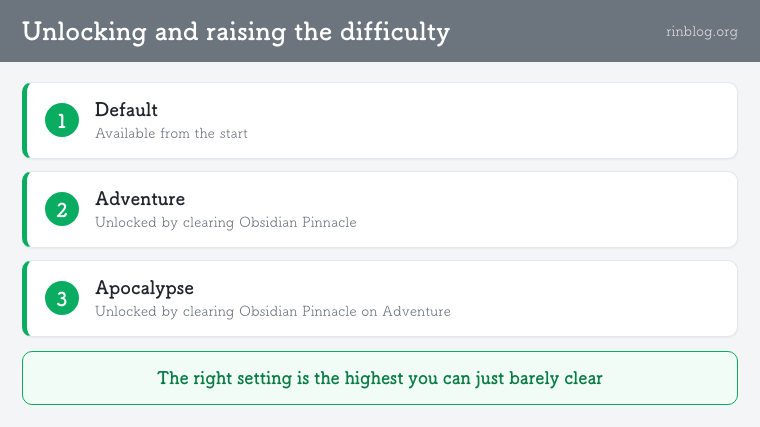
The answer: Default, then Adventure, then Apocalypse — each unlocked by beating the final boss on the previous one.
▼ Unlock conditions
① Default — available from the start
② Adventure — unlocked by clearing the final mission, Obsidian Pinnacle
③ Apocalypse — unlocked by clearing Obsidian Pinnacle on Adventure
You can change difficulty at any time from the mission select screen. Moving up is not a one-way decision.
What is the per-mission power slider?
The answer: separate from the three difficulty tiers, each mission has its own recommended power setting.
At mission select you can adjust recommended power across a range of I to VI, and this changes both enemy strength and the power of the gear and artifacts that drop.
So difficulty is really two-tiered: the broad tier, and the per-mission power. The one you adjust day to day is the second.
Sponsored
Does raising the difficulty improve your loot?
The answer: yes. Higher difficulty applies an upward bonus to the power of what drops.
This is why staying on a low setting is a trap. One clear at a difficulty you can barely manage does more for your gear than ten clears at a comfortable one.
The less you are able to grind, the more this gap matters. If you cannot add runs, the only lever left is the quality of each run.
When exactly should you move up?
The answer: a difficulty you clear safely is too low. Dying occasionally is about right.
▼ How to calibrate
① If you clear the current setting without trouble, go up one step
② If you then cannot clear it, drop back one step
③ Repeat this every time your gear updates
The cycle is: gear updates, difficulty gets re-checked. Leaving the difficulty untouched after your gear improves is the most wasteful state to be in.
Sponsored
What must you do before moving up?
The answer: fill all six slots with high-power gear and pass through a loading screen before you launch.
Your power level is the average of your six equipped items. Empty slots and low-power items drag the average down, which drags your drops down too. And a gear change does not register until a loading screen has passed.
The harder the difficulty you are attempting, the more that one-minute habit is worth.
What should you watch out for on Apocalypse?
The answer: on Apocalypse, thin armor gets you one-shot by exploding enemies.
Build survivability before damage. Whether you can hold a difficulty comes down to not dying to a single mistake, not to how fast you kill things.
Enchanting armor first is the safe order too. Points come back in full when you salvage, so there is no risk in committing them.
What if you cannot move up at all?
▶ Fill empty artifact slots — raises your average power
▶ Lock one slot to a healing artifact — fewer deaths to single mistakes
▶ Pour emeralds into the merchants — gear without grinding
▶ Go solo — more players means more enemy health and numbers
Summary
▶ Three tiers: Default → Adventure → Apocalypse
▶ Each unlocks by clearing Obsidian Pinnacle on the previous tier
▶ Each mission also has a recommended power setting of I to VI
▶ Higher difficulty means an upward bonus to drop power
▶ The right setting is the highest you can just barely clear
▶ On Apocalypse, build survivability before damage